
Course Introduction
Watch this video to checkout the details and the benefits you get from this training.
Start your Career in SAP Neptune Fiori
This course teaches how to build and manage SAP Fiori-style applications using Neptune DXP (Digital Experience Platform). You will learn how to create responsive user interfaces, add business logic, connect applications with SAP and non-SAP systems, and deploy mobile-ready applications. The course also covers Neptune Cockpit administration, debugging, troubleshooting, and hybrid app packaging. It is designed for beginners and SAP professionals who want to create modern low-code SAP applications with a better user experience.
By completing this course, you will be able to learn:
- Understand the architecture and key components of Neptune DXP in the SAP environment
- Build responsive SAP Fiori-style applications using Neptune Application Designer (NAD)
- Write and manage business logic using JavaScript, client-side, and server-side scripting
- Integrate Neptune applications with SAP and non-SAP systems using OData services and REST APIs
- Use Neptune Cockpit for project management, security, and performance monitoring
- Package and deploy hybrid mobile applications using Neptune tools
- Perform debugging, troubleshooting, and optimize application performance
-
Develop hands-on projects and real-world SAP application scenarios using Neptune DXP
Course Curriculum
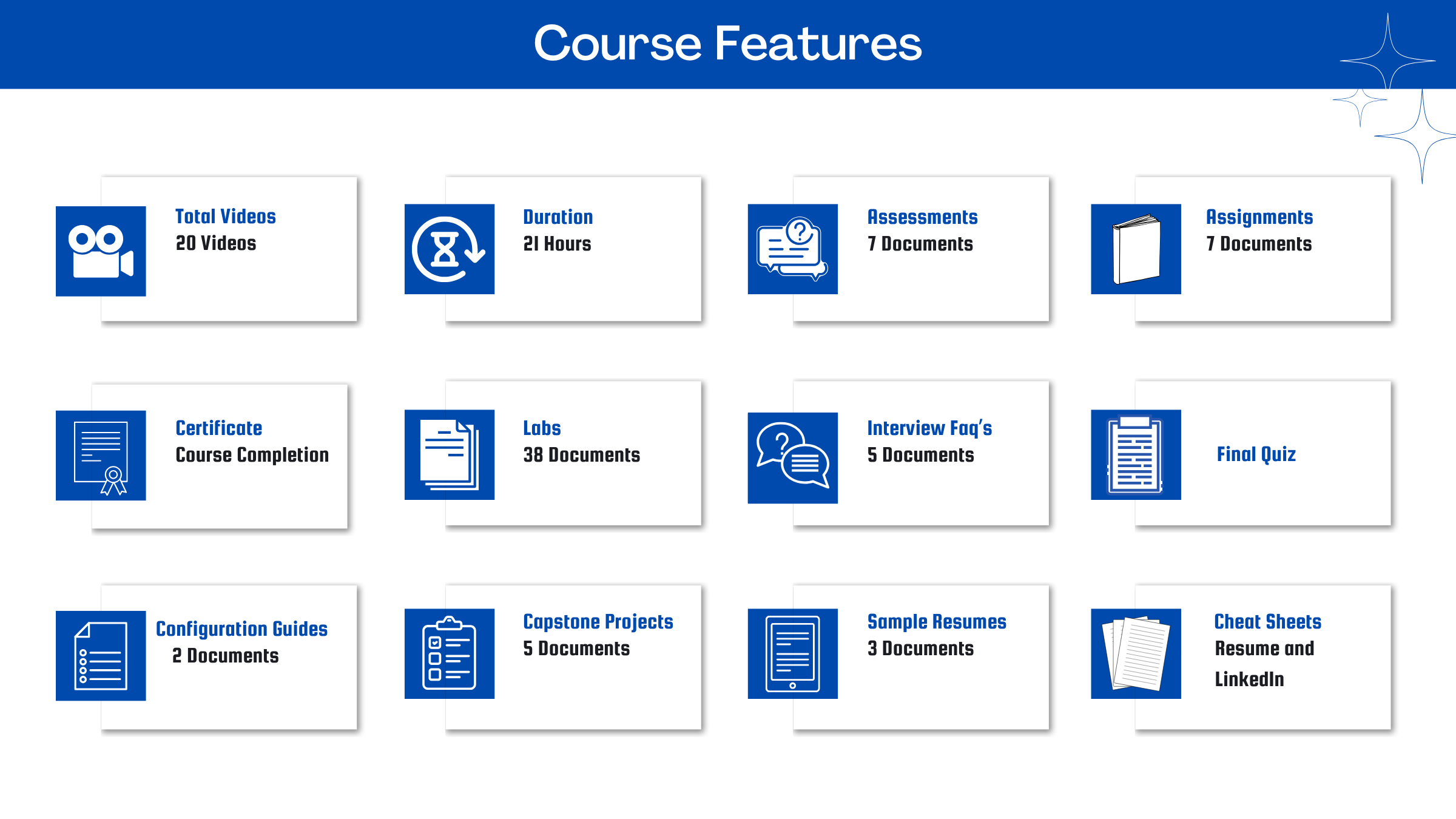
- Assessment - 1. Introduction to SAP Neptune
- Assessment - 2. UI Development using NAD
- Assessment - 3. Scripting and Logic Layer
- Assessment - 4. Backend Integration
- Assessment - 5. Deployment and Administration [Debugging and Troubleshooting]
- Assessment - 6. Neptune Cockpit
- Assessment - 7. Hybrid App Packaging
- Assignment - 1. Introduction to SAP Neptune
- Assignment - 2. UI Development using NAD
- Assignment - 3. Scripting and Logic Layer
- Assignment - 4. Backend Integration
- Assignment - 5. Deployment and Administration [Debugging and Troubleshooting]
- Assignment - 6. Neptune Cockpit
- Assignment - 7. Hybrid App Packaging
- Lab Activity - 1. Building a Home Page
- Lab Activity - 2. Basic Functionality of NAD
- Lab Activity - 3. Using HTML5 Library in NAD
- Lab Activity - 4. Create an Application Class
- Lab Activity - 5. Creating a form in the Designer
- Lab Activity - 6. Create a Results Page
- Lab Activity - 7. Dataloop
- Lab Activity - 8. Show a Details Page
- Lab Activity - 9. Form Fields - Show Bookings
- Lab Activity - 1. Android Guide
- Lab Activity - 2. Android Key Creation
- Lab Activity - 3. Cordova on Windows Guide
- Lab Activity - 4. Create a Line-of-business app for iOS iPadOS
- Lab Activity - 5. Create a mobile Client Build
- Lab Activity - 6. Getting started with Neptune and SAPUI5 Mobile
- Lab Activity - 7. iOS Guide
- Lab Activity - 8. iOS Key Creation
- Lab Activity - 9. Mobile Client Policy
- Lab Activity - 10. Mobile Client Push Notifications with Firebase
- Lab Activity - 11. Windows Key Creation
- Lab Activity - 1. Access the SAP UI Theme Designer
- Lab Activity - 2. Edit screens, rearrange and resize tiles
- Lab Activity - 3. Neptune Theming
- Lab Activity - 4. Update custom UI5 theme
- Lab Activity - 5. Add a global script to another script
- Lab Activity - 6. Add a table to a script
- Lab Activity - 7. Add an API to a script
- Lab Activity - 8. Add an npm module to a script
- Lab Activity - 9. Code snippets in the Script Editor
- Lab Activity - 10. Debug a script
- Lab Activity - 11. Import sub-modules (npm sub-path support)
- Lab Activity - 12. Scripting Layer
- Lab Activity - 13. Create an API in the Hub API Designer
- Lab Activity - 14. Manual installation of SAP Integration Hub
- Lab Activity - 15. Cockpit - Deployment - Export
- Lab Activity - 16. Cockpit - Deployment - Import
- Lab Activity - 17. Import a deployment package
- Lab Activity - 18. Installation troubleshooting
- Capstone Project - 1. Employee Self‑Service & Manager Self‑Service Suite
- Capstone Project - 2. Field Service Work Order & Timesheet App
- Capstone Project - 3. Purchase Requisition & Approval Cockpit
- Capstone Project - 4. VendorCustomer Self‑Service Portal with AI‑Assisted App Creation
- Capstone Project - 5. Warehouse Inventory & Scanning App

Meet Your Instructor
Experience and Expertise: Over 20 years of SAP consulting experience with strong specialization in SAP S/4HANA Finance, SAP Central Finance (CFIN), SAP Group Reporting, SAP BW/4HANA, SAP SAC, and enterprise finance transformation programs.
Global Training Experience: Delivered enterprise-level SAP corporate training programs for finance consultants, architects, and business users, covering SAP S/4HANA Finance, CFIN, Group Reporting, and centralized reporting solutions.
Corporate Clientele: Worked with Fortune 500 enterprises and global consulting organizations, supporting finance transformation, consolidation, and centralized reporting initiatives.
Certifications: SAP Certified - S/4HANA Financial Accounting; SAP Certified - Management Accounting (CO); SAP Certified -SAP S/4HANA for Group Reporting; ITIL Certified.
Diverse Technical Skills: Proficient in SAP S/4HANA Finance, SAP Central Finance, SAP Group Reporting, SAP BW/4HANA, SAP Analytics Cloud (SAC), SAP BPC, Universal Journal (ACDOCA), and enterprise reporting solutions.
Training Methodology: Uses a hands-on, scenario-based approach focused on real-world finance transformation, reporting, reconciliation, and enterprise reporting use cases.
Project Leadership: Led global SAP finance transformation and centralized reporting initiatives, including implementations, reconciliation activities, testing, go-live support, and enterprise training programs.
SAP Server Access Request
Reach out to us at support@zarantech.com if you need SAP server access after the course purchase
Got Questions?
Frequently Asked Questions
When does the course start and finish?
The course is entirely self-paced. You decide when you start and when you finish.
How long do I have access to the course?
That depends on the type of Subscription you bought - Monthly or Yearly. After enrolling, you have unlimited access to this course and materials across any devices you own.
What do I get after I signup?
After you signup and make the payment, you will have full access to the course which includes,
1. Session Videos (these videos are from actual live sessions from the past)
2. Assignments
3. Assessments
4. Lab documents
5. Other pdfs (configuration documents, eBooks, pdfs, interview and certification FAQs)
How do I get access to practice on the Server?
Reach out to your Support team and send an email to support@zarantech.com and they will send you the details and the monthly cost for the Server (if available)
Are the videos or materials downloadable?
No, they are not. But you have unlimited access to view them from any device and on this platform depending on your Subscription type. Everything on this platform is the intellectual property of ZaranTech
How soon after I enroll and make payment would get access to the course?
Immediately
What if I have doubts, whom do I ask?
These are pre-recorded videos from the actual Live Training program. Most of the doubts were cleared in the session videos itself. But if you still have any questions, please raise a ticket, and our support team will help you https://zarantech.freshdesk.com/support/tickets/new
What if I have an issue accessing the course?
You can Raise a ticket by clicking the link below and selecting the appropriate ticket - https://zarantech.freshdesk.com/support/tickets/new
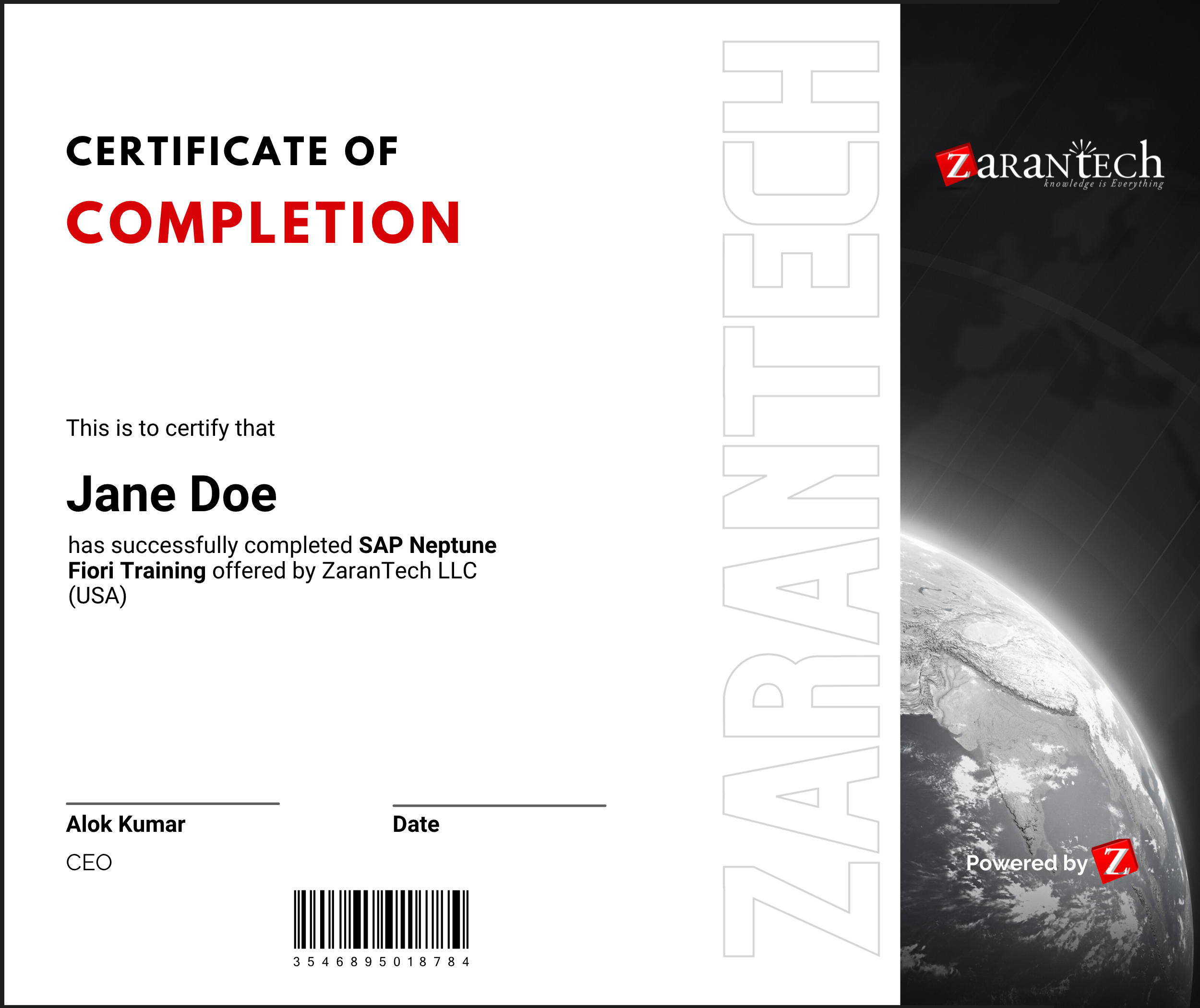
How will I get my course completion certificate?
Once you have successfully completed the training and the Final Quiz/Assessment, you can avail of your
Certificate of Completion from ZaranTech which you can then showcase on LinkedIn and other Social Media portals
Do you provide Instructor-led Live training for Individuals?
Yes, we do. Email us at info@zarantech.com and we will send you all the details
How we deliver Live training (video) - https://bit.ly/How-we-deliver-training
Do you provide Corporate/group training?
Yes, we do. We have trained more than 200 SAP customers with over 4000 participants in the USA, Canada, Europe, Asia, and South America. We offer corporate training for all SAP modules.
Course Catalog - https://bit.ly/SAP-course-catalog
How we Deliver Corporate Training (video) - https://bit.ly/sap-corp-training
How do I get certified in SAP?
SAP certification (https://training.sap.com/certification/) validates that you possess fundamental knowledge and verified skills.
List of Valid and soon to Expire SAP certifications - https://training.sap.com/certification/validity
What if I am unhappy with the course?
We would never want you to be unhappy! If you are unsatisfied with your purchase, contact us in the first 7 days and we will give you a full refund.
What is your Refund Policy and Terms of Use?
To know more about canceling the enrollment, refund, and rescheduling policy, visit:
Refund and Rescheduling Policy – https://www.zarantech.com/Refund-policy/
Terms of Service – https://www.zarantech.com/terms-of-use/
What other Resources do you provide?
YouTube (Free Videos) - https://www.youtube.com/@zarantechdotcom
LinkedIn (Free materials) - https://www.linkedin.com/showcase/sap-learner-community/
Quora (Ask any Questions) - https://saplearnercommunity.quora.com/
SAP Corporate Course Catalog - https://bit.ly/SAP-course-catalog
What other official Resources from SAP?
Official SAP Training -https://training.sap.com/