Course Introduction
Watch this video to checkout the details and the benefits you get from this training.
Start your Career in Workday Project Billing
This course teaches how to manage billable projects and handle billing processes in Workday. You will learn how to set up projects, create customer contracts, track project expenses and time, and generate invoices. The course also covers revenue recognition, billing schedules, and reporting to analyze project performance. It is designed for beginners who want to understand how project billing works in Workday.
By completing this course, you will be able to learn:
- Understand the basics of billable projects and how they differ from non-billable projects
- Create and configure billable projects, including templates and resource assignments
- Set up customer contracts, billing rate rules, and rate sheets
- Track project transactions such as worker time, expenses, and supplier invoices
- Create billing schedules and generate customer invoices
- Perform revenue recognition and track project completion
- Review and approve billable transactions for accurate billing
-
Use dashboards and reports to analyze project performance, profitability, and revenue
Course Curriculum
- Lab Activity - 1. Set Up Project Billing
- Lab Activity - 2. Build Projects
- Lab Activity - 3. Create Customer Contracts
- Lab Activity - 4. Create Contract Rate Sheets
- Lab Activity - 5. Add Billing Rate Rules to Contract Rate Sheets
- Lab Activity - 6. Create Consolidated Billing Schedules for Customer Contracts
- Lab Activity - 7. Create Installment or Transaction Billing Schedules for Customer Contracts
- Lab Activity - 8. Manage Project Billing Transactions
- Lab Activity - 9. Manage Customer Invoice Proposals
- Lab Activity - 10. Create Customer Invoices
- Lab Activity - 11. Set Up Project Plans
- Lab Activity - 12. Create Project Plan Templates
- Lab Activity - 13. Create Project Task Resource Templates
- Lab Activity - 14. Set Up Project Billing Configurations
- Lab Activity - 15. Create Contract Rate Sheets
- Lab Activity - 16. Create Customer Contracts
- Lab Activity - 17. Add Billing Rate Rules to Contract Rate Sheets
- Lab Activity - 18. Create Project Billing Rate Sheets
- Lab Activity - 19. Manage Project Billing Transactions
- Lab Activity - 20. Set Up Project Billing Configurations
- Lab Activity - 21. Manage Project Billing Transactions
- Lab Activity - 22. Create Expense Reports
- Lab Activity - 23. Create Billing Schedule Templates for Customer Contracts
- Lab Activity - 24. Review Billable Project Transactions
- Lab Activity - 25. Create Customer Invoices
- Lab Activity - 26. Recognize Revenue for Percent Complete
- Lab Activity - 27. Set Up Project Manager Hub

Meet Your Instructor
Experience and Expertise: Over 11 years of experience in Workday Finance, enterprise integrations, and SaaS-based solutions, with strong expertise in project billing, revenue lifecycle management, CRM integrations, and financial process automation.
Global Training Experience: Delivered practical Workday training and consulting sessions for global teams, enabling understanding of project billing workflows, financial integrations, revenue recognition, and real-time reporting.
Corporate Clientele: Worked with global organizations across multiple regions, supporting Workday implementations, CRM integrations, and cross-functional collaboration between finance, sales, and IT teams.
Certifications: Workday Integration Certification; Workday HR Certification.
Diverse Technical Skills: Proficient in Workday Finance, Project Billing, Workday Studio, EIB, REST/SOAP APIs, XSLT, XML, JSON, SQL, data integration, automation workflows, and analytics dashboards.
Training Methodology: Uses a hands-on, scenario-based approach focused on real-world billing cycles, integration scenarios, and financial reporting use cases.
Project Leadership: Led Workday integration and transformation initiatives, improving billing accuracy, reducing manual effort through automation, and enhancing financial reporting and operational efficiency across global teams.

Got Questions?
Frequently Asked Questions
When does the course start and finish?
The course is entirely self-paced. You decide when you start and when you finish.
How long do I have access to the course?
That depends on the type of Subscription you bought - Monthly or Yearly. After enrolling, you have unlimited access to this course and materials within across any and all devices you own.
What do I get after I signup?
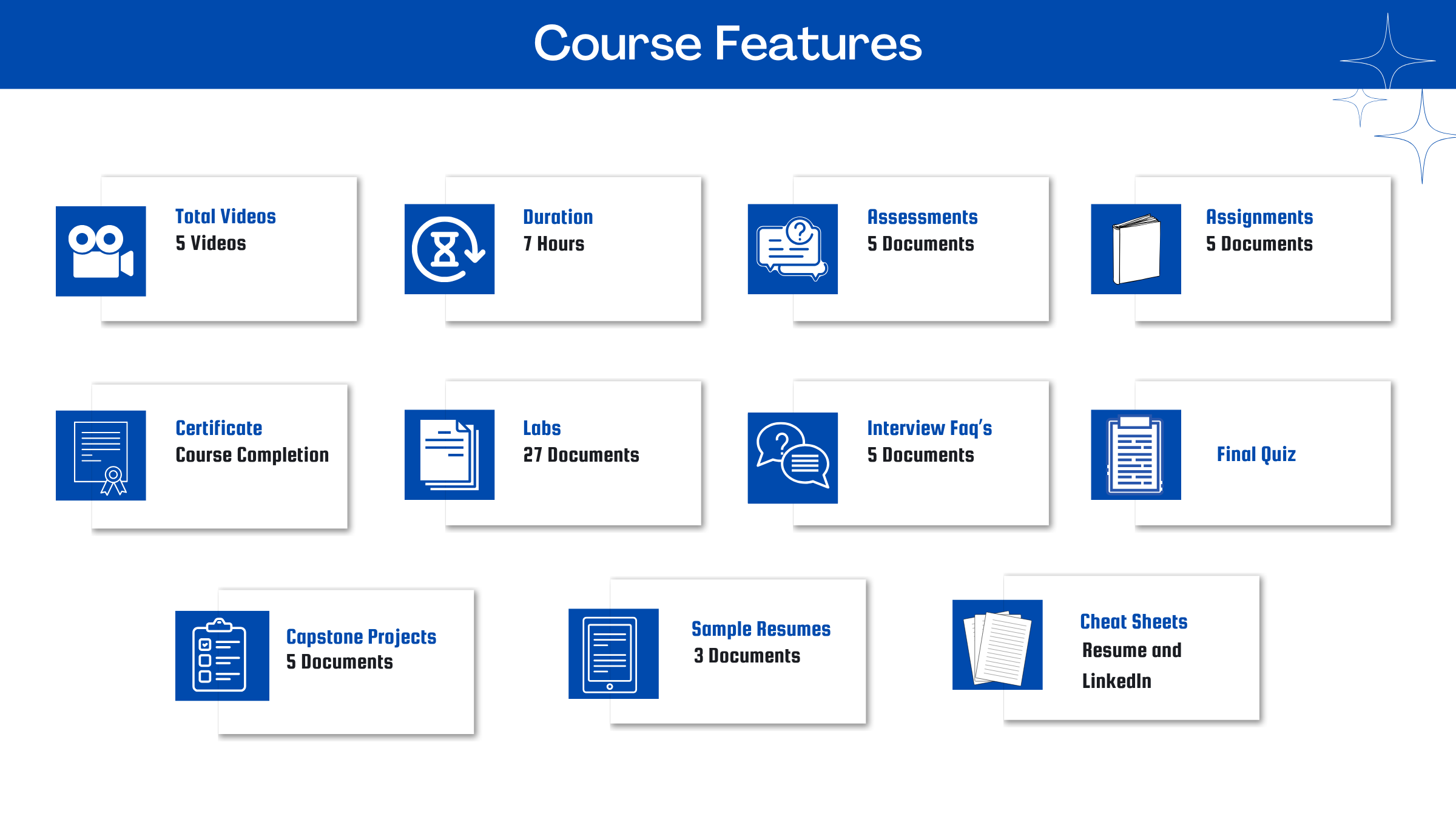
After you signup and make the payment, you will have full access to the course which includes,
1. Session Videos (these videos are from actual live sessions from the past)
2. Assignments
3. Assessments
4. Lab documents
5. Other pdfs (configuration documents, ebooks, pdfs, interview and certification faqs)
How do I get access to practice on the Server?
Reach out to your Support team and send an email to support@zarantech.com and they will send you the details and the monthly cost for the Server (if available)
Are the video or materials downloadable?
No, they are not. But you have unlimited access to view them from any device and on this platform depending on your Subscription type. Everything on this platform is the intellectual property of ZaranTech
How soon after I enroll and make payment would get access to the course?
Immediately
What if I have doubts, whom do I ask?
These are pre-recorded videos from the actual Live Training program. Most of the doubts were cleared in the session videos itself. But if you still have any questions, please raise a ticket, and our support team will help you https://zarantech.zohodesk.in/portal/en/newticket
What if I have issue accessing the course?
You can Raise a ticket by clicking the link below and select the appropriate ticket - https://zarantech.zohodesk.in/portal/en/newticket
How will I get my course completion certificate?
Once you have successfully completed the training and the Final Quiz/Assessment, then you can avail of your Certificate of Completion from ZaranTech which you can then showcase on Linkedin and other Social Media portals
Do you provide Instructor-led Live training for Individuals?
Yes, we do. Email us at info@zarantech.com and we will send you all the details
How we deliver Live training - https://bit.ly/How-we-deliver-training
Do you provide Corporate/group training?
Yes, we do. We have trained more than 100 Workday customers with over 4000 participants in USA, Canada, Europe, Asia, South America. We offer corporate training for all Workday modules.
Course Catalog - https://bit.ly/workday-course-catalog
How we deliver corporate training (video) - https://bit.ly/workday-Corp-training
How do I get certified in Workday?
Workday certification is worth its weight in gold as it gives a holistic understanding of the entire application to a new professional. The criterion to attend the Workday Certification Program is that one must either be a part of Workday or should be associated with one of its partners. The certification program should be completed within a month but if you fail to get the certification in your first attempt then Workday allows you to re-do your training. This Enterprise application undergoes numerous minor updates and 2-3 major updates in a year. Whenever a major update takes place the user has to go through the training again and get the certification. This is done by Workday so that all the users remain on the same page. If you are not an employee of Workday or any of its partner companies, it is impossible to gain a Workday certification.
What if I am unhappy with the course?
We would never want you to be unhappy! If you are unsatisfied with your purchase, contact us in the first 7 days and we will give you a full refund.
What is your Refund Policy and Terms of Use?
To know more about canceling the enrollment, refund, and rescheduling policy, visit:
Refund and Rescheduling Policy - https://www.zarantech.com/Refund-policy/
Terms of Service - https://www.zarantech.com/terms-of-use/
What other Resources do you provide?
Follow us on Youtube for FREE videos - https://www.youtube.com/@workdaylearner-community
Follow us on Linkedin for Free Materials - https://www.linkedin.com/showcase/workday-learner-community/
Follow us on Quora to Ask any Questions - https://workdaylearnercommunity.quora.com/