Course Introduction
Watch this video to checkout the details and the benefits you get from this training.

Start your career in SAP S/4HANA Finance
SAP S/4HANA Finance is a comprehensive set of financial management and accounting solutions, covering financial planning and analysis, accounting and financial close, treasury and financial risk management, collaborative finance operations, and enterprise risk and compliance management powered by the SAP HANA in-memory database.
You will learn to,
- Understand the fundamentals of SAP S/4HANA Finance and its role in modern enterprise management.
- Learn about the key features and advantages of SAP S/4HANA Finance over previous SAP ERP systems.
- Explore the structure of the Finance modules in SAP S/4HANA, including Financial Accounting (FI) and Management Accounting (CO).
-
Gain proficiency in navigating the SAP S/4HANA Finance user interface and understanding its layout.


Meet Your Instructor
Experience and Expertise: Over 20 years of SAP experience with strong specialization in SAP S/4HANA Finance (FI) and Management Accounting (CO), including Universal Journal, Margin Analysis, Product Costing, and financial closing processes.
Global Training Experience: Delivered corporate SAP S/4HANA Finance training for global organizations, enabling teams to understand real-time financial reporting, FI-CO integration, and advanced finance processes.
Corporate Clientele: Worked with global enterprises across manufacturing and multi-country organizations, leading SAP S/4HANA Finance implementations, rollouts, and transformation programs.
Certifications: SAP Certified - S/4HANA Financial Accounting; SAP Certified - Management Accounting (CO); ITIL Certified.
Diverse Technical Skills: Proficient in SAP S/4HANA Finance, FI-CO integration, Universal Journal (ACDOCA), Product Costing, Material Ledger, Margin Analysis (CO-PA), Group Reporting, and Advanced Financial Closing.
Training Methodology: Uses a scenario-based, hands-on approach focused on real business finance use cases, configuration walkthroughs, and end-to-end process understanding.
Project Leadership: Led multiple SAP S/4HANA Finance implementations and global rollouts, delivering end-to-end solutions including blueprinting, configuration, testing, go-live, and post-implementation support.
Course Curriculum
- Assessment - 1. SAP Overview & Navigation
- Assessment - 2. FI Organizational Structure
- Assessment - 3. General Ledger Accounting
- Assessment - 4. Document Control & CO Integration
- Assessment - 5. Parallel Accounting & ACDOCA
- Assessment - 6. Accounts Payable
- Assessment - 7. Dunning & Vendor Reporting
- Assessment - 8. Accounts Receivable
- Assessment - 9. Asset Accounting - Master Data
- Assessment - 10. Depreciation & Asset Lifecycle
- Assessment - 11. Bank Accounting
- Assessment - 12. Electronic Bank Statement (EBS)
- Assessment - 13. Financial Closing Activities
- Assessment - 14. Tax Configuration
- Assessment - 15. FI-MM Integration
- Assessment - 16. FI-SD Integration
- Assessment - 17. Universal Journal (ACDOCA)
- Assessment - 18. Fiori for FI
- Assessment - 1. CO Organizational Structure
- Assessment - 2. Cost Element Accounting
- Assessment - 3. Cost Center Accounting
- Assessment - 4. Activity Types & SKFs
- Assessment - 5. Internal Orders – Basics
- Assessment - 6. Internal Order Settlements
- Assessment - 7. Profit Center Accounting
- Assessment - 8. Product Costing – Basics
- Assessment - 9. BOM & Routing Costing
- Assessment - 10. Actual Costing - Material Ledger
- Assessment - 11. Profitability Analysis (CO-PA)
- Assessment - 12. CO-PA Postings & Reports
- Assessment - 13. CO Reports
- Assessment - 14. Allocations
- Assessment - 15. Planning and Versions
- Assessment - 16. CO-MM Integration
- Assessment - 17. CO-SD Integration
- Assessment - 18. Group Reporting
- Assessment - 19. Fiori for CO
- Assignment - 1. SAP Overview & Navigation
- Assignment - 2. FI Organizational Structure
- Assignment - 3. General Ledger Accounting
- Assignment - 4. Document Control & CO Integration
- Assignment - 5. Parallel Accounting & ACDOCA
- Assignment - 6. Accounts Payable
- Assignment - 7. Dunning & Vendor Reporting
- Assignment - 8. Accounts Receivable
- Assignment - 9. Asset Accounting – Master Data
- Assignment - 10. Depreciation & Asset Lifecycle
- Assignment - 11. Bank Accounting
- Assignment - 12. Electronic Bank Statement (EBS)
- Assignment - 13. Financial Closing Activities
- Assignment - 14. Tax Configuration
- Assignment - 15. FI-MM Integration
- Assignment - 16. FI-SD Integration
- Assignment - 17. Universal Journal (ACDOCA)
- Assignment - 18. Fiori for FI
- Assignment - 1. CO Organizational Structure
- Assignment - 2. Cost Element Accounting
- Assignment - 3. Cost Center Accounting
- Assignment - 4. Activity Types & SKFs
- Assignment - 5. Internal Orders - Basics
- Assignment - 6. Internal Order Settlements
- Assignment - 7. Profit Center Accounting
- Assignment - 8. Product Costing - Basics
- Assignment - 9. BOM & Routing Costing
- Assignment - 10. Actual Costing Material Ledger
- Assignment - 11. Profitability Analysis (CO-PA)
- Assignment - 12. CO-PA Postings & Reports
- Assignment - 13. CO Reports
- Assignment - 14. Allocations
- Assignment - 15. Planning and Versions
- Assignment - 16. CO-MM Integration
- Assignment - 17. CO-SD Integration
- Assignment - 18. Group Reporting
- Assignment - 19. Fiori for CO
- Lab Activity - 1. Navigate in the SAP Fiori Launchpad
- Lab Activity - 2. Create a Company Code
- Lab Activity - 3. Create a Company ID for Your Company Code and Assign it to Your Company Code
- Lab Activity - 4. Check the Assignment of a Company Code to a Controlling Area
- Lab Activity - 5. How to Display a Chart of Accounts
- Lab Activity - 6. How to Display the Basic Settings of a Chart of Accounts and Assign Company Codes
- Lab Activity - 7. How to Maintain Retained Earnings Accounts
- Lab Activity - 8. Create Account Groups for GL Accounts and install some new GL Accounts
- Lab Activity - 9. How to Maintain an Account Group-Specific Field Status
- Lab Activity - 10. How to Maintain an Account Group-Specific Field Status - 2
- Lab Activity - 11. How to Display Reconciliation Accounts
- Lab Activity - 12. How to Use Open Item Management
- Lab Activity - 13. How to Post Accounts in Foreign Currency
- Lab Activity - 14. How to Maintain GL Accounts Using Collective Processing
- Lab Activity - 15. How to Assign a Group Chart of Accounts to an Operational Chart of Accounts
- Lab Activity - 16. How to Link Operational to Group GL Accounts
- Lab Activity - 17. How to Assign a Country Chart of Accounts
- Lab Activity - 18. How to Link Operational to Country GL Accounts
- Session Video - Basics of SAP HANA - Part A (54:17)
- Session Video - Basics of SAP HANA - Part B (56:17)
- Session Video - Basics of SAP S/4 HANA - Part A (40:23)
- Session Video - Basics of SAP S/4 HANA - Part B (58:17)
- Session Video - Basics of SAP S/4 HANA - Part C (37:43)
- Session Video - Introduction to SAP S/4 HANA Simple Finance - Part A (53:01)
- Session Video - Introduction to SAP S/4 HANA Simple Finance - Part B (58:56)
- Session Video - Analyzing Universal Journal - Part A (55:55)
- Session Video - External Posting with SAP S/4 HANA - Part B (56:13)
- Session Video - Different Types of Ledger (36:42)
- Session Video - Extension Ledger (56:55)
- Session Video - Overview of Currencies (37:14)
- Session Video - Differentiate Ledger Approach and Account Approach (34:19)
- Session Video - Define Ledger for CO Version (56:53)
- Session Video - SAP S/4HANA Business Values (45:11)
- Session Video - SAP ECC 6.0. (83:20)
- Session Video - Indexes and Totals vs. Document Level Financials (59:07)
- Session Video - Adoption Scenario - Part A (43:03)
- Session Video - Adoption Scenario - Part B (63:39)
- Session Video - SAP Landscape of the Central Finance (55:54)
- Session Video - Providing an Overview of Reporting Options in SAP S/4HANA Finance (27:13)
- Session Video - Add-on Installation Phase (59:14)
- Session Video - Data Migration Process (56:01)
- Session Video - Conversion Guide for SAP S4HANA (46:36)
- Session Video - Maintenance Planner (51:04)
- Session Video - Preparation and Migration for SAP S/4HANA (57:20)
- Session Video - Preparation before Installation (45:35)
- Session Video - Migration Phase (39:27)
- Session Video - Check and Define Default Values for Postings in Controlling (46:27)
- Session Video - Posting Logic (53:31)
- Session Video - Simplification List (55:27)
- Lab Activity - Setting Up SAP HANA Environment
- Lab Activity - Basics of SAP S4HANA Lab
- Lab Activity - Introduction to SAP S4 HANA Simple Finance
- Lab Activity - Analyzing Universal Journal
- Lab Activity - Performing a Simple Finance Ledger in SAP FSCM TRM on ECC
- Lab Activity - Exploring Business Values with SAP S4 HANA
- Lab Activity - Configuring SAP ECC 6.0 Environment
- Lab Activity - Understanding the Implications of Indexes and Totals vs. Document Level Financials in SAP FSCM TRM on ECC
- Lab Activity - Adoption Scenarios for Simple Finance (Existing Customers)
- Lab Activity - SAP Landscape of the Central Finance
- Lab Activity - Providing an Overview of Reporting Options in SAP S4HANA Finance
- Lab Activity - Migration Process for the SAP S4HANA Finance Add-on
- Lab Activity - Overview Add-on Installation Phase for SAP FSCM TRM on ECC
- Lab Activity - Conversion Guide for SAP S4HANA Lab
- Lab Activity - Maintenance Planner Setup for SAP FSCM TRM on ECC
- Lab Activity - Preparation and Migration for SAP S4HANA
- Lab Activity - Migration phase after Installation of Simple Finance 2.0
- Lab Activity - Performing Posting Logic in SAP FSCM TRM on ECC
- Lab Activity - Simplification List for SAP FSCM TRM on ECC
- Training Guide for S/4HANA Finance
- Configuration Guide - SAP S/4HANA finance Implementation
- Configuration Guide - SAP S/4HANA 1709 - What‘s new in Finance?
- Configuration Guides - SAP S/4HANA Finance 1809
- Configuration Guide - SAP S/4HANA finance step by step guide
- Configuration Guide for SAP S4HANA Finance 1605
- Configuration Guide - SAP S/4HANA 2022 Asset Accounting
- C_TS4FI_1809 - SAP Certified Application Associates - SAP S/4HANA for Financial Accounting Associates (SAP S4HANA 1809) (174 Questions)
- C_TS4FI_2021 - SAP Certified Application Associate - SAP S/4HANA for Financial Accounting Associates (SAP S4HANA 2021) (81 Questions)
- C_TS4FI_2021 SAP S_4HANA Finance 2021 - Test your skills (80 Questions)
- P_S4FIN_1909 - SAP Certified Application Professional - Financials in SAP S/4HANA for SAP ERP Finance Experts (SAP S/4HANA 1909) (113 Questions)
- P_S4FIN_2020 - SAP Certified Application Professional - Financial in SAP S/4HANA for SAP ERP Finance Experts
- P_S4FIN_2021 - SAP Certified Application Professional Financials in SAP S/4HANA for SAP ERP Finance Experts (SAP S/4HANA 2021) (179 Questions)
- C_S4FIN_2021 - Financial Accounting Associates - SAP S4HANA (66 Questions)
- C_S4FIN_2021 - Financial Accounting Associates - SAP S4HANA 2021 (32 Questions)
- C_S4FIN_2021 - Financial Accounting Associates SAP S4HANA 2021 (81 Questions)
- P_S4FIN_2021 - Financials in SAP S4HANA for SAP ERP Finance (113 Questions)
- Capstone Project - 1. Global Financial Close and Consolidation Automation
- Capstone Project - 2. Integrated Order‑to‑Cash and Credit Risk Management
- Capstone Project - 3. Asset Accounting and Capital Investment Lifecycle
- Capstone Project - 4. Procure‑to‑Pay with Real‑Time Spend and Cash Management
- Capstone Project - 5. Profitability and Cost Control for a Multi‑Segment Business

SAP Server Access Request
Reach out to us at support@zarantech.com if you need SAP server access after the course purchase
Got Questions?
Frequently Asked Questions
When does the course start and finish?
The course is entirely self-paced. You decide when you start and when you finish.
How long do I have access to the course?
That depends on the type of Subscription you bought - Monthly or Yearly. After enrolling, you have unlimited access to this course and materials across any devices you own.
What do I get after I signup?
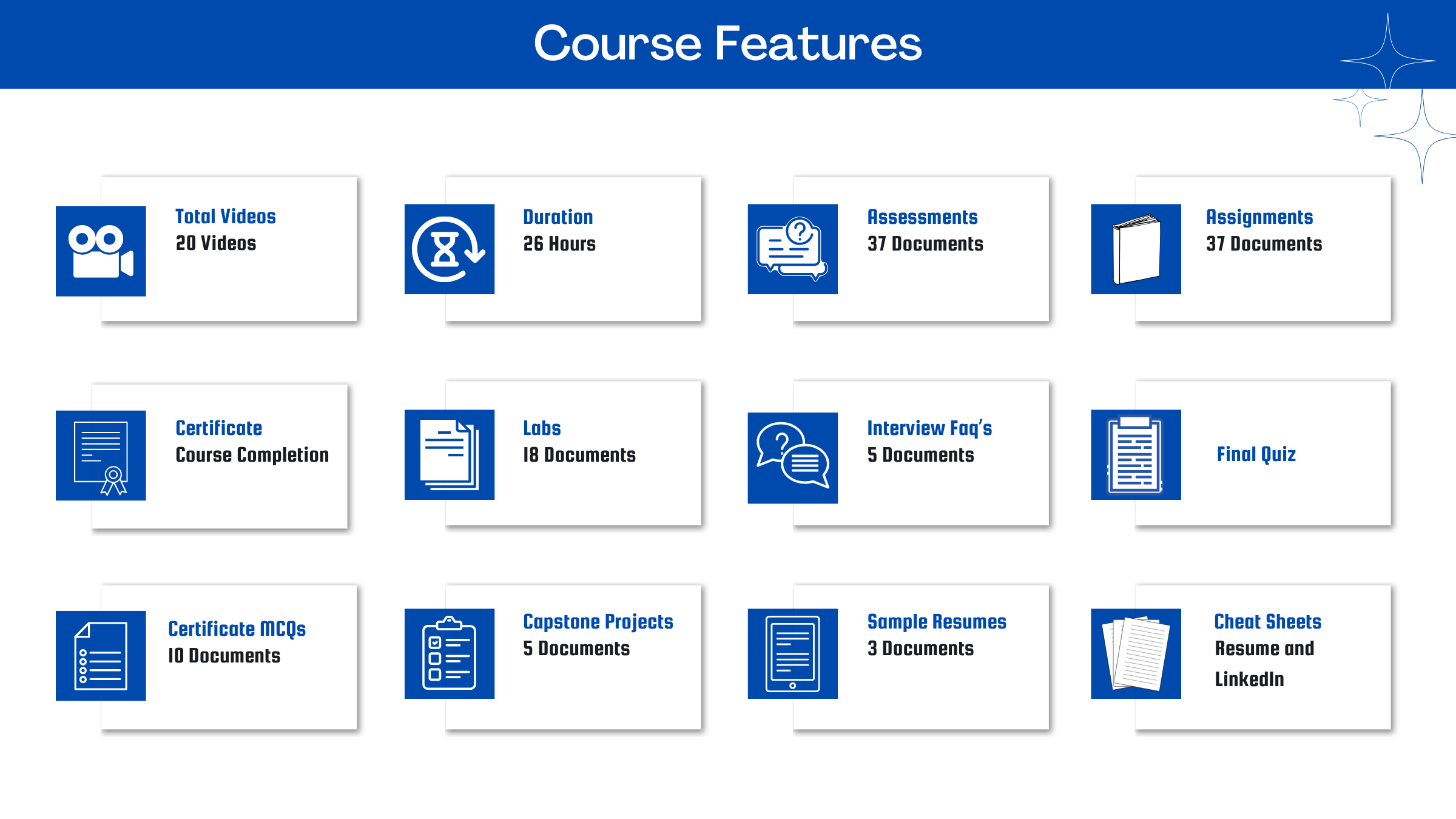
After you signup and make the payment, you will have full access to the course which includes,
1. Session Videos (these videos are from actual live sessions from the past)
2. Assignments
3. Assessments
4. Lab documents
5. Other pdfs (configuration documents, ebooks, pdfs, interview and certification faqs)
How do I get access to practice on the Server?
Reach out to your Support team and send an email to support@zarantech.com and they will send you the details and the monthly cost for the Server (if available)
Are the videos or materials downloadable?
No, they are not. But you have unlimited access to view them from any device and on this platform depending on your Subscription type. Everything on this platform is the intellectual property of ZaranTech
How soon after I enroll and make payment would get access to the course?
Immediately
What if I have doubts, whom do I ask?
These are pre-recorded videos from the actual Live Training program. Most of the doubts were cleared in the session videos itself. But if you still have any questions, please raise a ticket, and our support team will help you https://zarantech.freshdesk.com/support/tickets/new
What if I have an issue accessing the course?
You can Raise a ticket by clicking the link below and selecting the appropriate ticket - https://zarantech.freshdesk.com/support/tickets/new
How will I get my course completion certificate?
Once you have successfully completed the training and the Final Quiz/Assessment, you can avail of your Certificate of Completion from ZaranTech which you can then showcase on Linkedin and other Social Media portals.
Do you provide Instructor-led Live training for Individuals?
Yes, we do. Email us at info@zarantech.com and we will send you all the details
How we deliver Live training (video) - https://bit.ly/How-we-deliver-training
Do you provide Corporate/group training?
Yes, we do. We have trained more than 200 SAP customers with over 4000 participants in the USA, Canada, Europe, Asia, and South America. We offer corporate training for all SAP modules.
Course Catalog - https://bit.ly/SAP-course-catalog
How we Deliver Corporate Training (video) - https://bit.ly/sap-corp-training
How do I get certified in SAP?
SAP certification (https://training.sap.com/certification/) validates that you possess fundamental knowledge and verified skills.
List of Valid and soon to Expire SAP certifications - https://training.sap.com/certification/validity
What if I am unhappy with the course?
We would never want you to be unhappy! If you are unsatisfied with your purchase, contact us in the first 7 days and we will give you a full refund.
What is your Refund Policy and Terms of Use?
To know more about canceling the enrollment, refund, and rescheduling policy, visit:
Refund and Rescheduling Policy – https://www.zarantech.com/Refund-policy/
Terms of Service – https://www.zarantech.com/terms-of-use/
What other Resources do you provide?
Youtube (Free Videos) - https://www.youtube.com/@zarantechdotcom
LinkedIn (Free materials) - https://www.linkedin.com/showcase/sap-learner-community/
Quora (Ask any Questions) - https://saplearnercommunity.quora.com/
SAP Corporate Course Catalog -https://bit.ly/SAP-course-catalog
What other official Resources from SAP?
Official SAP Training - https://training.sap.com/
Official SAP Certification Programs - https://training.sap.com/certification/
OpenSAP (Open Online Courses (MOOCs) for SAP learning) - https://open.sap.com/
SAP Community blogs with updates and insights - https://blogs.sap.com/
SCN (SAP Community Network) - Discussions and articles - https://community.sap.com/
SAP Conferences and Workshops - https://www.sap.com/products/teched.html