Course Introduction
Watch this video to checkout the details and the benefits you get from this training.
Start your Career in SAP Public Cloud Procurement
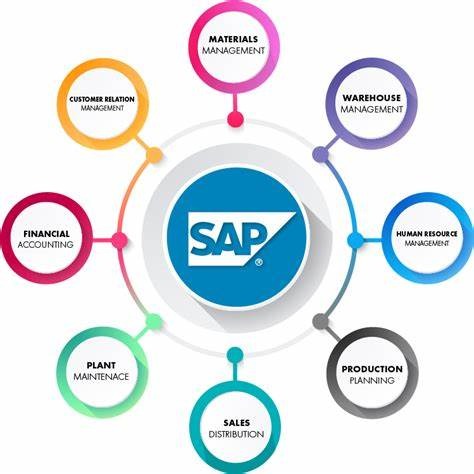
This course teaches how procurement processes work in SAP S/4HANA Cloud Public Edition. You will learn how to manage sourcing, purchasing, supplier data, contracts, invoice processing, workflows, and procurement analytics using SAP Fiori applications. The course also covers cloud implementation concepts, integrations, extensibility, data migration, and intelligent procurement features like AI and situation handling. It is designed for beginners who want to understand end-to-end procurement processes in SAP Public Cloud.
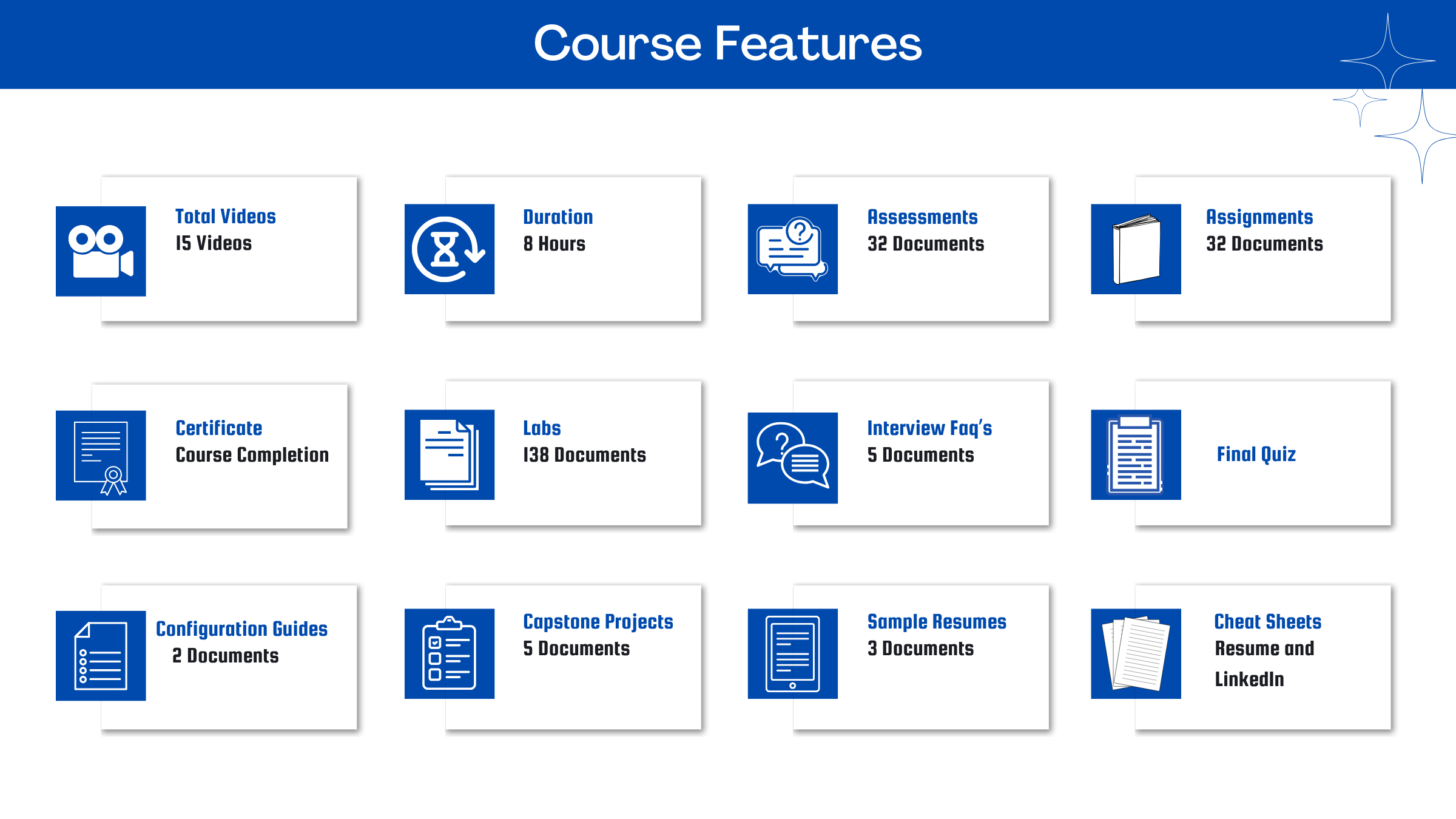
By completing this course, you will be able to learn:
- Understand SAP S/4HANA Cloud Public Edition architecture, implementation, and Fit-to-Standard methodology
- Configure organizational structures, business roles, authorizations, and procurement settings
- Manage supplier, product, and purchasing master data in SAP Fiori
- Execute procurement processes including requisitions, purchase orders, direct material procurement, and service purchasing
- Configure flexible workflows, situation handling, and intelligent procurement features
- Create and manage purchase contracts, scheduling agreements, and request for quotation processes
- Use procurement analytics, supplier evaluation, and spend visibility tools for reporting
- Perform integrations, extensibility, and data migration using SAP tools and APIs
-
Understand subcontracting, supplier consignment, and automated invoice settlement processes
Course Curriculum
- Assessment - 1. Introducing SAP S_4HANA Cloud Public Edition
- Assessment - 2. Building the Implementation Team
- Assessment - 3. Defining System Landscapes
- Assessment - 4. Setting up Systems and Authorizations
- Assessment - 5. Gathering Data in Fit-to-Standard Workshops
- Assessment - 6. Configuring Business Processes with SAP Central Business Con
- Assessment - 7. Working with the SAP Fiori Launchpad
- Assessment - 8. Customizing Authorizations
- Assessment - 9. Customizing Applications
- Assessment - 10. Setting up Integrations
- Assessment - 11. Migrating Data
- Assessment - 12. Testing Configured Business Processes
- Assignment - 1. Introducing SAP S4HANA Cloud Public Edition
- Assignment - 2. Building the Implementation Team
- Assignment - 3. Defining System Landscapes
- Assignment - 4. Setting up Systems and Authorizations
- Assignment - 5. Gathering Data in Fit-to-Standard Workshops
- Assignment - 6. Configuring Business Processes with SAP Central Busin
- Assignment - 7. Working with the SAP Fiori Launchpad
- Assignment - 8. Customizing Authorizations
- Assignment - 9. Customizing Applications
- Assignment - 10. Setting up Integrations
- Assignment - 11. Migrating Data
- Assignment - 12. Testing Configured Business Processes
- Lab Activity - 1. Request SAP Central Business Configuration via SAP for Me (3SL)
- Lab Activity - 2. Manage User Setup and Access
- Lab Activity - 3. Get Started with SAP Central Business Configuration
- Lab Activity - 4. Set Up Evaluation Workspace
- Lab Activity - 5. Define Scope
- Lab Activity - 6. Assign Deployment Targets
- Lab Activity - 7. Specify Primary Finance Settings
- Lab Activity - 8. Set Up Organizational Structure
- Lab Activity - 9. Deploy Scope and Organizational Structure
- Lab Activity - 10. Add New Scope and Organizational Units
- Lab Activity - 11. Configure Business Processes (3SL)
- Lab Activity - 12. The SAP Fiori Launchpad
- Lab Activity - 13. Getting Help
- Lab Activity - 14. Exploring Extensibility Cockpit
- Lab Activity - 15. Exploring UI Flexibility
- Lab Activity - 16. Adding a Custom Field to the UI of a Document
- Lab Activity - 17. Introducing the SAP S4HANA Migration Cockpit
- Lab Activity - 18. Features of Manage Your Test Processes
- Lab Activity - 19. Adapting Best Practice Automates
- Lab Activity - 20. Creating a Test Data Container and its Variants
- Lab Activity - 21. Setting Up Test Automation Tool
- Lab Activity - 22. Maintaining Communication User Role (API)
- Lab Activity - 23. Features of Test Your Processes
- Lab Activity - 24. Executing a Test Plan containing API Test Process Steps
- Lab Activity - 25. Features of Analyze Automated Test Result
- Lab Activity - 26. Triggering Post-Upgrade Tests by Customers
- Lab Activity - 1. Configure Business Processes (2SL)
- Lab Activity - 2. Configure Business Processes (3SL)
- Lab Activity - 3. Using Configure Your Solution
- Lab Activity - 4. Adapting Your Organizational Structure
- Lab Activity - 5. Setting Up Organization Structure in CBC
- Lab Activity - 6. Create a Business Partner Master Record
- Lab Activity - 7. Create a Material Master Record
- Lab Activity - 1. Creating Purchase Requisitions with Single Cost Centers
- Lab Activity - 2. Creating Purchase Requisitions with Multiple Cost Centers
- Lab Activity - 3. Creating Purchase Requisitions with Enhanced Limit Items
- Lab Activity - 4. Managing Catalog Items
- Lab Activity - 5. Creating Purchase Requisitions with Catalogs
- Lab Activity - 6. Checking Purchase Requisitions
- Lab Activity - 7. Copying Purchase Requisitions
- Lab Activity - 8. Performing Mass Changes to Purchase Requisitions
- Lab Activity - 9. Monitoring Purchase Requisition Items by Account Assignment
- Lab Activity - 10. Approving Purchase Requisitions
- Lab Activity - 11. Monitoring Purchase Requisition Items
- Lab Activity - 12. Redistributing Workloads
- Lab Activity - 13. Converting Purchase Requisitions to Purchase Orders (18J)
- Lab Activity - 14. Confirming the Receipt of Goods
- Lab Activity - 15. Creating Supplier Invoices (18J)
- Lab Activity - 16. Creating Purchase Orders (BNX)
- Lab Activity - 17. Changing Purchase Orders (BNX)
- Lab Activity - 18. Approving Purchase Orders (BNX)
- Lab Activity - 19. Posting Goods Receipts (BNX)
- Lab Activity - 20. Creating Supplier Invoices with POGR Relation (BNX)
- Lab Activity - 21. Creating Purchase Orders for Limit Items
- Lab Activity - 22. Creating Supplier Invoices for Limit Items
- Lab Activity - 1. Maintaining PIRs
- Lab Activity - 2. Maintaining PIRs for Material TG0012
- Lab Activity - 3. Running Material Requirements Planning (MRP)
- Lab Activity - 4. Evaluating MRP Results (Purchase Requisitions)
- Lab Activity - 5. Handing Over Purchase Requisitions
- Lab Activity - 6. Evaluating MRP Results (Delivery Schedule)
- Lab Activity - 7. Scheduling MRP Runs
- Lab Activity - 8. Displaying MRP Run Material Issues
- Lab Activity - 9. Displaying MRP Run Key Figures
- Lab Activity - 10. Converting Purchase Requisitions to Purchase Orders (J45)
- Lab Activity - 11. Creating Purchase Orders (J45)
- Lab Activity - 12. Approving Purchase Orders (J45)
- Lab Activity - 13. Posting Goods Receipts for Purchase Orders (J45)
- Lab Activity - 14. Checking Goods Receipts Details
- Lab Activity - 15. Creating Supplier Invoices with POGR Relation (J45)
- Lab Activity - 16. Checking Supplier Invoice Lists
- Lab Activity - 17. Creating Purchase Orders Manually for Down Payments
- Lab Activity - 18. Creating Down Payment Requests (J45)
- Lab Activity - 19. Creating Down Payments
- Lab Activity - 20. Posting Goods Receipts for Down Payments
- Lab Activity - 21. Creating Supplier Invoices for Down Payments
- Lab Activity - 22. Creating Purchase Orders Manually for Free Goods
- Lab Activity - 23. Creating a Purchase Order with Confirmation
- Lab Activity - 24. Creating Inbound Deliveries
- Lab Activity - 25. Confirming Quantities for Putaway
- Lab Activity - 26. Posting Goods Receipts for Inbound Deliveries
- Lab Activity - 27. Creating Supplier Invoices with POGR Relation
- Lab Activity - 28. Streamlined Procurement Process - Create Purchase Order
- Lab Activity - 29. Checking Supplier Invoices (2LH)
- Lab Activity - 30. Executing Evaluated Receipts Settlements (2LH)
- Lab Activity - 31. Approving Purchase Orders (2LH)
- Lab Activity - 32. Posting Goods Receipts (2LH)
- Lab Activity - 33. Changing Purchase Orders (2LH)
- Lab Activity - 34. Creating Purchase Orders (2LH)
- Lab Activity - 1. Maintaining Service Entry Sheets hands_on
- Lab Activity - 2. Creating Purchasing Contracts
- Lab Activity - 3. Creating Contracts with Item Hierarchy
- Lab Activity - 4. Creating Purchase Requisitions
- Lab Activity - 5. Creating Purchase Orders
- Lab Activity - 6. Creating Purchase Orders with Enhanced Limit Item and a Contract Reference
- Lab Activity - 7. Approving Purchase Orders
- Lab Activity - 8. Maintaining Service Entry Sheets for Purchase Orders e
- Lab Activity - 9. Approving Service Entry Sheets
- Lab Activity - 10. Creating Supplier Invoices for Service Purchase Orders
- Lab Activity - 11. Creating MPS with Item Hierarchies by Mass Upload
- Lab Activity - 12. Copying MPS to Purchase Contract with Item hierarchies
- Lab Activity - 13. Creating Purchase Order from Purchase Contract with Item Hierarchies
- Lab Activity - 1. Creating Purchase Requisitions (Standard)
- Lab Activity - 2. Creating Purchase Requisitions (Outline Agreement Requisition) BMD
- Lab Activity - 3. Creating Purchase Contracts with Reference to Purchase Requisitions
- Lab Activity - 4. Creating Purchase Contracts with Reference to the Contract Template
- Lab Activity - 5. Performing Mass Changes to Purchase Contracts
- Lab Activity - 6. Printing Purchase Contracts
- Lab Activity - 7. Processing Purchase Requisitions and Creating Purchase Orders
- Lab Activity - 8. Viewing Purchasing Documents by Requirement Tracking Number
- Lab Activity - 9. Posting Goods Receipts (BMD)
- Lab Activity - 10. Creating Supplier Invoices (BMD)
- Lab Activity - 11. Creating Purchase Contracts
- Lab Activity - 12. Creating Scheduling Agreements with Release Documents
- Lab Activity - 13. Maintaining Delivery Schedules
- Lab Activity - 14. Printing Scheduling Agreements
- Lab Activity - 15. Releasing Scheduling Agreements
- Lab Activity - 16. Evaluating the Stock Requirement Situation
- Lab Activity - 17. Creating Scheduling Agreements Without Release Documents
- Lab Activity - 18. Creating Price Requests
- Lab Activity - 19. Creating Supplier Quotations
- Lab Activity - 20. Displaying Supplier Quotations
- Lab Activity - 21. Comparing and Awarding Supplier Quotations
- Lab Activity - 22. Creating Follow-on Documents
- Lab Activity - 1. Creating Purchase Orders (BMY)
- Lab Activity - 2. Creating an Outbound Delivery
- Lab Activity - 3. Picking and Posting a Goods Issue
- Lab Activity - 4. Receiving Goods from a Subcontracting PO (BMY)
- Lab Activity - 5. Creating Supplier Invoices (BMY)
- Lab Activity - 6. Creating Purchase Orders for Consignment Material
- Lab Activity - 7. Posting Goods Receipts for Consignment Material
- Lab Activity - 8. Transfering Stocks from Consignment Stock to Inventory
- Lab Activity - 9. Settling Consignment Withdrawals
- Capstone Project - 1. Central Procurement & Mass Maintenance
- Capstone Project - 2. Contract Management & Compliance (Off‑Contract Spend)
- Capstone Project - 3. Greenfield Source‑to‑Pay Implementation
- Capstone Project - 4. Project‑Based Procurement & Control
- Capstone Project - 5. Supplier Collaboration & Shipping Visibility

Meet Your Instructor
Experience and Expertise: Over 6 years of experience in SAP S/4HANA Procurement, SAP MM, SAP SRM, IS-CWM, and Data Migration, with strong expertise in SAP Public Cloud procurement transformation and supply chain processes.
Global Training Experience: Delivered practical SAP S/4HANA procurement and Public Cloud training sessions, enabling teams to understand sourcing, purchasing, SAP Fiori workflows, and cloud ERP business processes.
Corporate Clientele: Worked with global clients across F&B, Pharma, Aerospace, and Oil & Gas sectors, supporting SAP Greenfield, Brownfield, and transformation implementations.
Certifications: SAP Certified - SAP S/4HANA Sourcing and Procurement 2020 Upskilling for ERP Experts.
Diverse Technical Skills: Proficient in SAP S/4HANA Public Cloud, SAP MM, SAP SRM, SAP Fiori, SAP Ariba, Syniti, BRF+, SAP Activate, procurement master data, and cloud-based integrations.
Training Methodology: Uses a hands-on, scenario-based approach focused on procurement workflows, SAP Public Cloud configuration, and real-world business use cases.
Project Leadership: Led procurement transformation and migration initiatives, handled integration activities, mock cutovers, testing cycles, and post go-live support across global SAP projects.
SAP Server Access Request
Reach out to us at support@zarantech.com if you need SAP server access after the course purchase
Got Questions?
Frequently Asked Questions
When does the course start and finish?
The course is entirely self-paced. You decide when you start and when you finish.
How long do I have access to the course?
That depends on the type of Subscription you bought - Monthly or Yearly. After enrolling, you have unlimited access to this course and materials across any devices you own.
What do I get after I signup?
After you signup and make the payment, you will have full access to the course which includes,
1. Session Videos (these videos are from actual live sessions from the past)
2. Assignments
3. Assessments
4. Lab documents
5. Other pdfs (configuration documents, eBooks, pdfs, interview and certification FAQs)
How do I get access to practice on the Server?
Reach out to your Support team and send an email to support@zarantech.com and they will send you the details and the monthly cost for the Server (if available)
Are the videos or materials downloadable?
No, they are not. But you have unlimited access to view them from any device and on this platform depending on your Subscription type. Everything on this platform is the intellectual property of ZaranTech
How soon after I enroll and make payment would get access to the course?
Immediately
What if I have doubts, whom do I ask?
These are pre-recorded videos from the actual Live Training program. Most of the doubts were cleared in the session videos itself. But if you still have any questions, please raise a ticket, and our support team will help you https://zarantech.zohodesk.in/portal/en/newticket
What if I have an issue accessing the course?
You can Raise a ticket by clicking the link below and selecting the appropriate ticket - https://zarantech.zohodesk.in/portal/en/newticket
How will I get my course completion certificate?
Once you have successfully completed the training and the Final Quiz/Assessment, you can avail of your
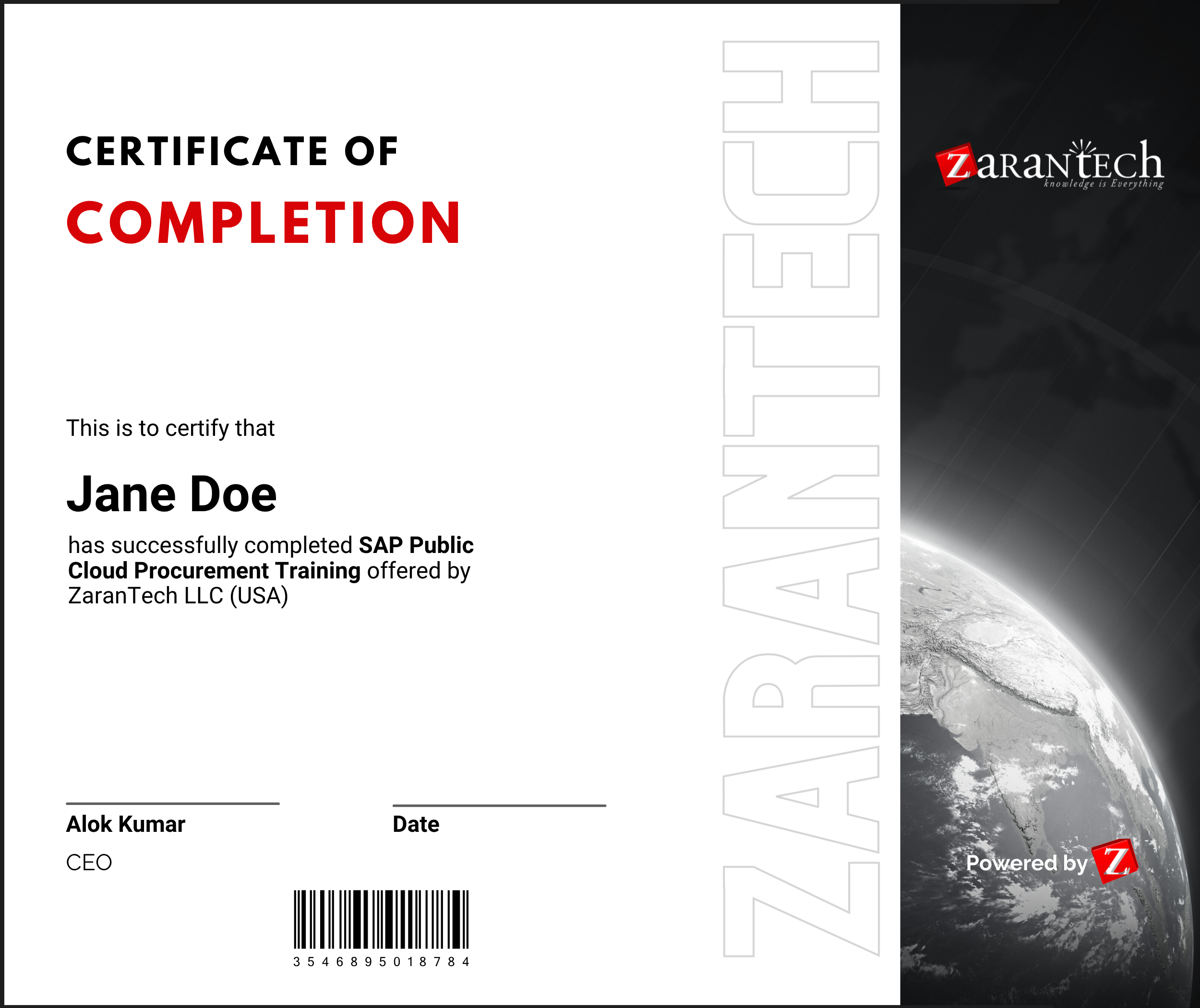
Certificate of Completion from ZaranTech which you can then showcase on LinkedIn and other Social Media portals
Do you provide Instructor-led Live training for Individuals?
Yes, we do. Email us at info@zarantech.com and we will send you all the details
How we deliver Live training (video) - https://bit.ly/How-we-deliver-training
Do you provide Corporate/group training?
Yes, we do. We have trained more than 200 SAP customers with over 4000 participants in the USA, Canada, Europe, Asia, and South America. We offer corporate training for all SAP modules.
Course Catalog - https://bit.ly/SAP-course-catalog
How we Deliver Corporate Training (video) - https://bit.ly/sap-corp-training
How do I get certified in SAP?
SAP certification (https://training.sap.com/certification/) validates that you possess fundamental knowledge and verified skills.
List of Valid and soon to Expire SAP certifications - https://training.sap.com/certification/validity
What if I am unhappy with the course?
We would never want you to be unhappy! If you are unsatisfied with your purchase, contact us in the first 7 days and we will give you a full refund.
What is your Refund Policy and Terms of Use?
To know more about canceling the enrollment, refund, and rescheduling policy, visit:
Refund and Rescheduling Policy – https://www.zarantech.com/Refund-policy/
Terms of Service – https://www.zarantech.com/terms-of-use/
What other Resources do you provide?
YouTube (Free Videos) - https://www.youtube.com/@zarantechdotcom
LinkedIn (Free materials) - https://www.linkedin.com/showcase/sap-learner-community/
Quora (Ask any Questions) - https://saplearnercommunity.quora.com/
SAP Corporate Course Catalog - https://bit.ly/SAP-course-catalog
What other official Resources from SAP?
Official SAP Training -https://training.sap.com/